Motorcycle telemetry: Tarmago reads your files
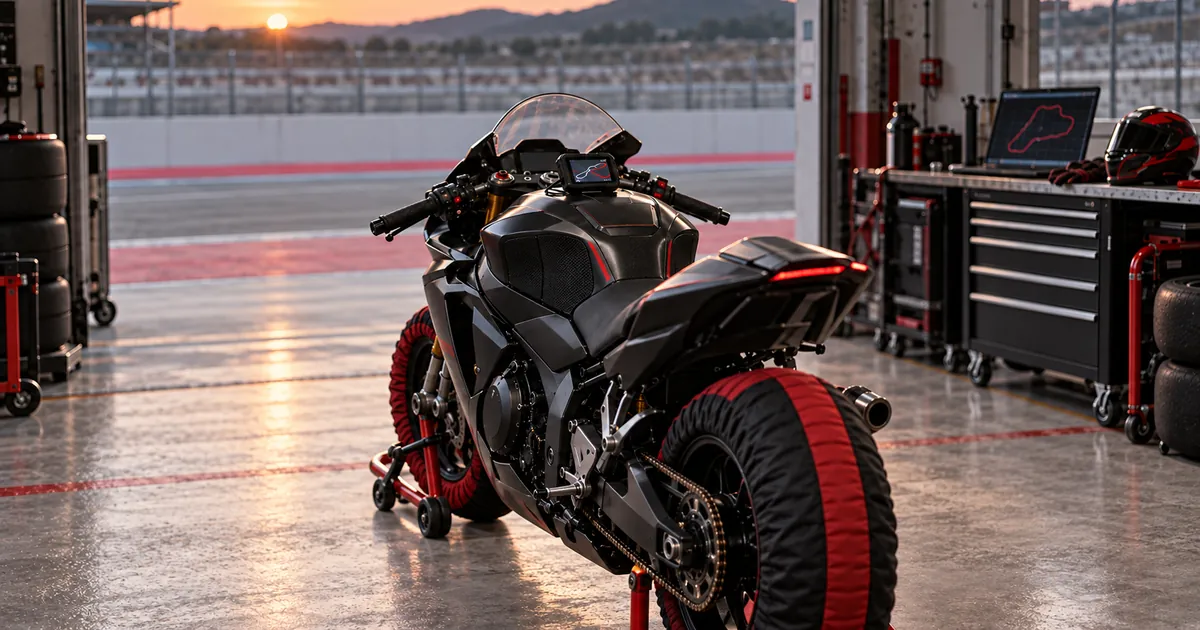
Your lap timer spent the day attached to the bike. It saw everything: every lap, every straight, every pass through the slowest point of that corner at the back of the circuit. Then you came in, loaded the bike into the van, and the file joined the long list of things you will look at "later". Which means never.
It is not a lack of motivation. Reading riding data often means a different software package for each brand, a computer, an evening and a fair amount of patience to make sense of traces that look like an electrocardiogram. The result: most files sit untouched on a phone, and your memory of the day comes down to how it felt.
Since 4 October, Tarmago has been reading those files. Upload the file from your lap timer or data logger, and Tarmago takes care of the rest.
What happens when you upload a file
The idea fits in a sentence: drop your session file into your Telemetry area, and Tarmago extracts your laps.
In detail, three things happen:
- The circuit is identified automatically, from the GPS trace. If it is not, you can choose it manually: the laps are then split using that circuit's start line. And if your circuit is not on our list yet, the session stays in your account and the location is flagged to us: once the circuit is added, we link the session to it and recalculate its laps.
- Laps and splits are separated out, and your trace is plotted on the circuit map. You can see your best lap, the full sequence and where the seconds went, sector by sector.
- We do not keep the file itself. It is analysed on our servers and then deleted; only the points recorded on the circuit are retained. The journey from home to the circuit, if your lap timer was already running on the motorway, is discarded.
You can drop in a whole day's files at once: each file becomes a session.
Supported formats
There is no need to buy a new device. Tarmago reads files from most of the lap timers and data loggers in the paddock. Six formats have already been checked against real motorcycle sessions:
- Starlane: the device's .DA_ file, with its .INF file (which supplies the session date and time);
- Yamaha Y-TRAC: the .CTRK file from the data logger on R1 models from 2015 onwards;
- 3DMS: the lap timer's .ra1 file. It contains neither the session date nor start-line crossings: you enter the date when uploading, and the laps are split using the circuit's start line;
- RaceChrono: CSV export (preferably v3 format);
- RaceBox: .vbo file or CSV export, from your account on the RaceBox website;
- GPX files, which almost every app can produce.
The others can be read, but are still in beta: we have tested them with sample, car or demo files, not yet with a real motorcycle track day. If a lap, speed or channel looks wrong, send us the file — that is exactly what we need:
- AiM: original .xrk and .xrz files downloaded with Race Studio, or a CSV export;
- TrackAddict: CSV export;
- Alfano: CSV export from the ADA software. As with 3DMS, the file does not contain the session date: you enter it when uploading;
- Harry's LapTimer and Racelogic VBOX: .vbo file;
- MoTeC: .ld file, provided it contains GPS channels;
- GoPro: the .mp4 video straight from the camera, on models that record GPS;
- raw NMEA logs;
- Dainese D-air Racing suits: the whole download folder, dropped in at once (details below);
- Ducati DDA: the .dda file cannot be uploaded on its own, because the unit records no position. Open the GPS session of the same ride and choose "Add the channels of a Ducati DDA file": Tarmago lines it up on the GPS speed and adds rpm, throttle opening, engine temperature, the speed reported by the bike and traction control interventions.
The maximum file size ranges from 20 to 64 MB depending on the format, which easily covers a session, even one recorded at a high sampling rate with plenty of sensors.
To show you which button to tap in which app, we have written a step-by-step, device-by-device guide. It also explains what Tarmago gets from each file. And if you do not have a lap timer yet, our comparison of GPS lap timers for the track covers prices, GPS sampling rates and displays.
The GoPro case
GoPro deserves a section of its own, because it is often the only "telemetry" you have without knowing it. Models that record GPS (HERO 5 to 11 and HERO 13; the HERO 12 does not) hide a track of positions inside every video.
Drop in the video, and your browser extracts the GPS trace. The video itself is never uploaded. Neither your 4 GB of footage nor your mate overtaking you on the outside down the straight: only a small track of positions is sent to us. If the camera split the ride across several files, each one becomes a session.
What is free, and what Tarmago+ adds
We made a simple choice: your basic data will never sit behind a subscription.
Free for everyone:
- file uploads and circuit recognition;
- laps, splits and your trace on the map;
- the circuit leaderboard: the top 10 and your position;
- downloading your sessions as CSV or GPX. Your data stays yours, and you can take it with you whenever you like.
Detailed analysis is reserved for Tarmago+, the rider plan dedicated to analysis, available since 21 October with a free trial on a first subscription. It lets you explore the session in detail:
- the speed trace with a cursor moving around the map;
- corner-by-corner figures, and the corner where you lose the most time;
- the ideal lap (your best sectors put together) and the rolling lap (your fastest lap, whatever the starting point);
- line comparisons between your laps and between your days, consistency and progress on each circuit;
- lean angle and G-forces, estimated from GPS;
- your top speeds compared with your bike's gearing;
- the full leaderboard;
- the bike's channels and a written assessment based on your figures.
When the bike talks: channels
A GPS lap timer knows where you are and how fast you are going. That is already a lot. But some files know much more, because the device is connected to the bike itself: an AiM logger wired to the ECU, an R1's Y-TRAC logger, a VBOX or a MoTeC, or RaceChrono connected to the diagnostic port.
When the file contains them, Tarmago+ displays these channels with the same cursor as the speed trace and map: engine rpm, selected gear, throttle opening, brake pressure or brake switch, lean angle measured by the bike's inertial unit, electronic rider aids (traction control, ABS, anti-wheelie), coolant and oil temperatures.
One point matters to us: we always distinguish what is measured from what is estimated. Without an inertial unit, lean angle is calculated from GPS and displayed as an estimate. With an inertial unit, it is measured, and labelled as such. The same goes for the selected gear: GPS cannot see it; the bike can. A channel that Tarmago does not yet recognise is not discarded: it appears with its name and unit, exactly as supplied in the file.
The written assessment: observations, not instructions
The session assessment, included in Tarmago+, is written by an AI using the figures calculated by Tarmago. Every number in it comes from the calculations, never from the model.
With the bike's channels, it can go further than a GPS lap timer: for example, noting that the gear at the slowest point of a corner changes from lap to lap, or that peak brake pressure there varies noticeably. These are observations about consistency, measured on your own bike.
What it will never do: tell you to brake later, open the throttle earlier or lean further. It tells you where and how much, not what to do. What you do with those observations is up to you, and your coach if you have one. A file cannot see the wind, the greasy morning surface or the rider running a little wide ahead of you in the left-hander.
What about airbag suits?
An airbag suit measures your movements, often with GPS, to detect a crash. But very few let you retrieve those measurements. Dainese D-air Racing suits that connect by USB do have a data logger: according to the Dainese manual, up to 8 hours of GPS trace with lap times, speed, acceleration and lean angle, retrieved using the 2D software supplied with the suit.
Tarmago reads these downloads in beta. If you ride in a D-air Racing suit, the export guide explains how to get the data out of it; then simply drag the whole folder into the upload window: one session per outing. An important distinction: a suit's inertial unit measures the lean of your torso, including hanging off, not the bike's lean. It is never presented as the bike's lean angle.
Recent Dainese suits, Alpinestars Tech-Air and In&motion do not export riding data.
Send us the files we cannot read yet
Your device is not on the list? Your file uploads, but some sensors you know were recorded are missing? That is exactly what we want to hear about.
Every file reader was built from real files, not a skim through the documentation. The best way to add another is to receive some. From the upload window or the session page in your Telemetry area, you can send us the file in question: we will take a look and tell you what we can do with it.
Getting started
- Retrieve the file from your last session (the export guide explains how, device by device).
- Drop it into your Telemetry area.
- Watch your laps appear on the map.
No day planned yet to fill your lap timer? The track day calendar lists upcoming dates, and the circuit map helps you choose the next one. If you are new to it, the track day guide explains how the day runs. And to explore gearing further, the gearing calculator does the sums with you.
FAQ
Do I need a particular device to use Tarmago telemetry?
No. A lap timing app on a smartphone, a GPS unit, a data logger wired to the bike or a GoPro that records GPS will do. If your app can export a GPX file, Tarmago can at least extract your laps and trace.
Is my file kept?
No. The file is analysed on our servers, then deleted. Only the points recorded on the circuit are retained, to display your laps and trace. The journey to the circuit, if it is in the file, is discarded.
Is my GoPro video uploaded?
Never. Your browser reads the video on your device and extracts only the GPS trace. Only that trace is uploaded.
What is free?
File uploads, circuit recognition, laps, splits, your trace on the map, the top 10 on the leaderboard with your position, and session exports as CSV or GPX. Detailed analysis, the bike's channels, the written assessment, gearing and the full leaderboard are reserved for Tarmago+, the analysis plan available since 21 October.
Why can't I see engine rpm or the selected gear?
Because the file does not contain them. A GPS lap timer on its own, a GoPro or a GPX file gives position and speed, not what the engine is doing. The bike's channels only appear if the device was connected to the bike and recorded them.
Can my airbag suit help?
Only Dainese D-air Racing suits that connect by USB record a session you can retrieve. Tarmago reads them in beta: drag the entire download folder into your Telemetry area. Other suits on the market do not export anything.
My device is not recognised. What should I do?
Send us the file from your Telemetry area. Real files are how we add new formats and new sensors.